How-to guide
Record facts by hand
Add a fact while you work and record where it came from so you can inspect it later.
- Choose Capture in the activity bar, or press
Cmd/Ctrl+Shift+C. - Enter the subject, predicate, and object. Reuse autocomplete suggestions where they match the intended entities.
- Add
@sourceand, when possible, an evidence locator such as a timestamp or section. - Add status, confidence, or tags only when they contribute useful review or retrieval information.
- Review the Parsing as line below the field, then choose Commit.
- Confirm the new assertion appears with the intended source and object.
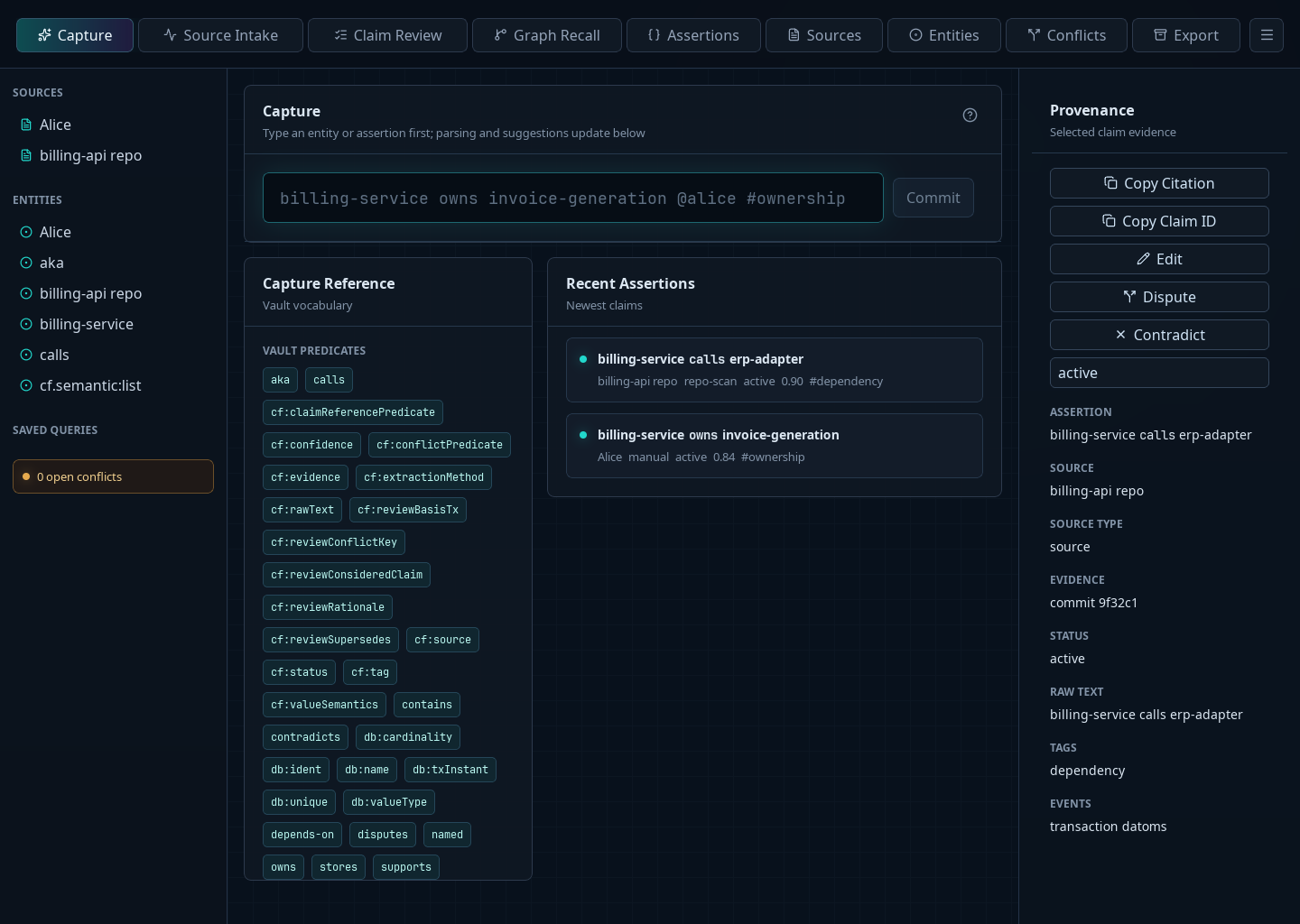
For example:
billing-service owns invoice-generation @alice ^00:32:18 #ownership
Use quotes to keep a multi-word value together:
billing-service named "Billing Service" @architecture-review
If the stored wording misrepresents the source, select the assertion and use Edit to correct the transcription. If the source was accurately recorded but later proved wrong, leave the original intact and record the disagreement instead.