How-to guide
Explore related claims in the graph
Begin with a focused result, expand its neighborhood, and keep the working graph readable.
Use Graph Recall when you want to understand how a small set of facts connects. Begin with a question expressed as a query, then add nearby facts only when they help answer that question. You do not need to load the entire vault into one graph.
Build a focused graph
- Choose Graph in the activity bar. Graph Recall opens with its sidebar collapsed to leave more room for the canvas; choose the Graph icon again if you need the sidebar.
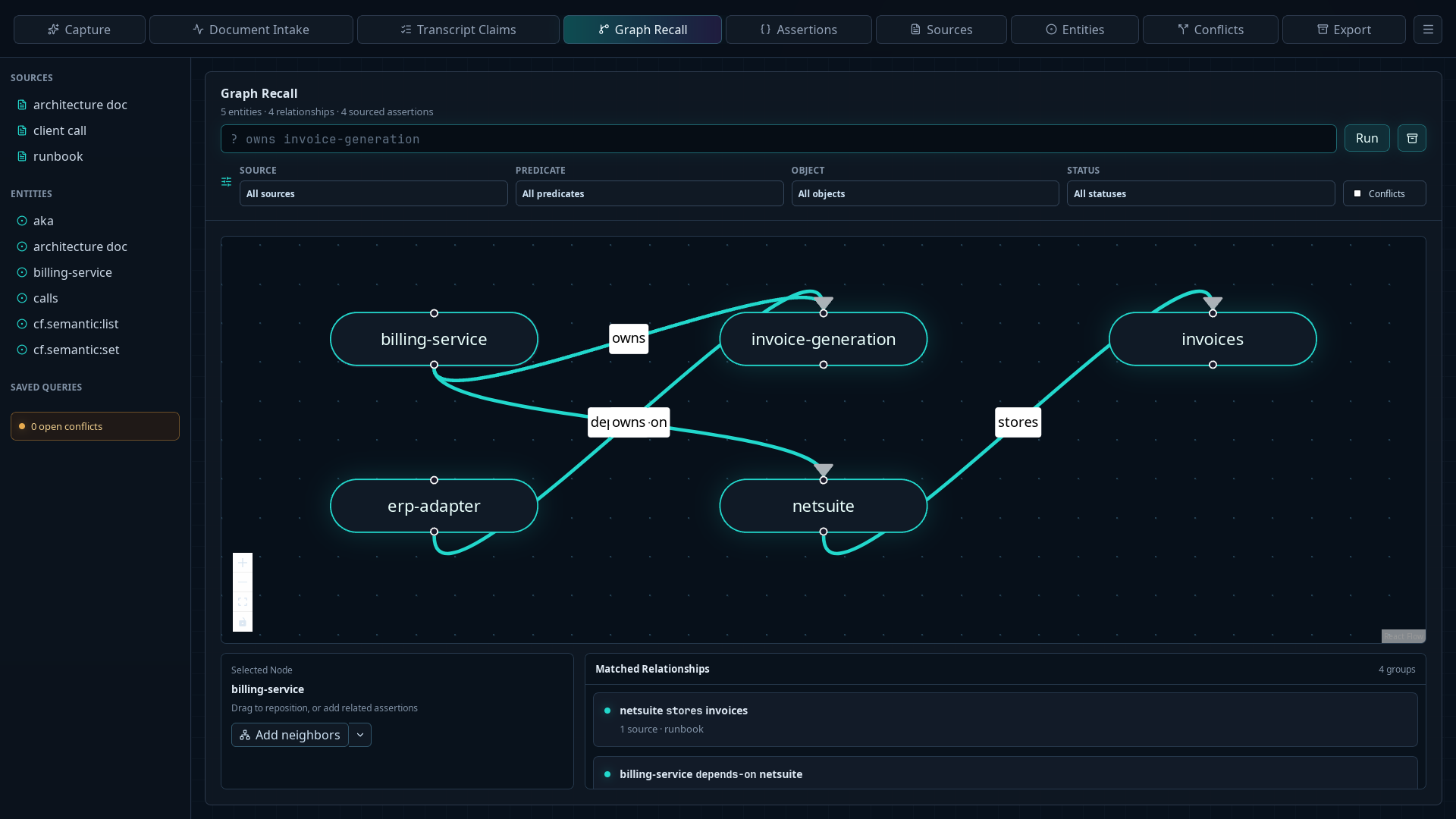
- Enter a query that identifies a useful starting point. For example,
? owns invoice-generationfinds every current ownership claim aboutinvoice-generation. - Choose Run.
- If the result is too broad, narrow it with the Source, Predicate, Object, or Status filters. Select Conflicts when you only want assertions participating in a detected conflict.
- Confirm that the entity and relationship counts describe a manageable working graph.
Add nearby facts
- Select the entity whose context you want to expand.
- Choose Add neighbors to add missing inbound and outbound facts connected to that entity.
- To expand only one direction, open the arrow beside Add neighbors and choose Add inbound or Add outbound. With the graph focused, you can also press
Nto add neighbors in both directions. - Repeat only where another hop contributes to your investigation. Claimframe does not change the original query or the assertions when it adds graph context.
Select an edge or a connected node to select the sourced assertion behind that relationship. The selection summary appears below the graph, and the provenance inspector opens at the right when assertion evidence is available.
Drag nodes when two relationships overlap or when a different arrangement makes the result easier to explain. Claimframe preserves node positions for later use.
Reset the working view
If the graph becomes difficult to read, rerun the original query to discard added neighbors, or narrow the query and filters to build a smaller graph. Graph Recall is a working view of vault facts; changing its layout or neighborhood does not change the stored assertions.