How-to guide
Inspect provenance
Check where an assertion came from, how it entered the vault, and what has happened to it before repeating it.
- Find the assertion in Query, Graph, Sources (via Tools → Manage Sources), or Conflicts.
- Select its row or graph edge to open the provenance panel on the right. If it is hidden, choose View → Show Details.
- Review the source and evidence locator. Confirm that the locator is precise enough to revisit the evidence.
- Check capture time, extraction method, confidence, status, and tags.
- Review related events to see edits, status changes, or later judgments.
- If the assertion is suitable to carry forward, choose Copy Citation.
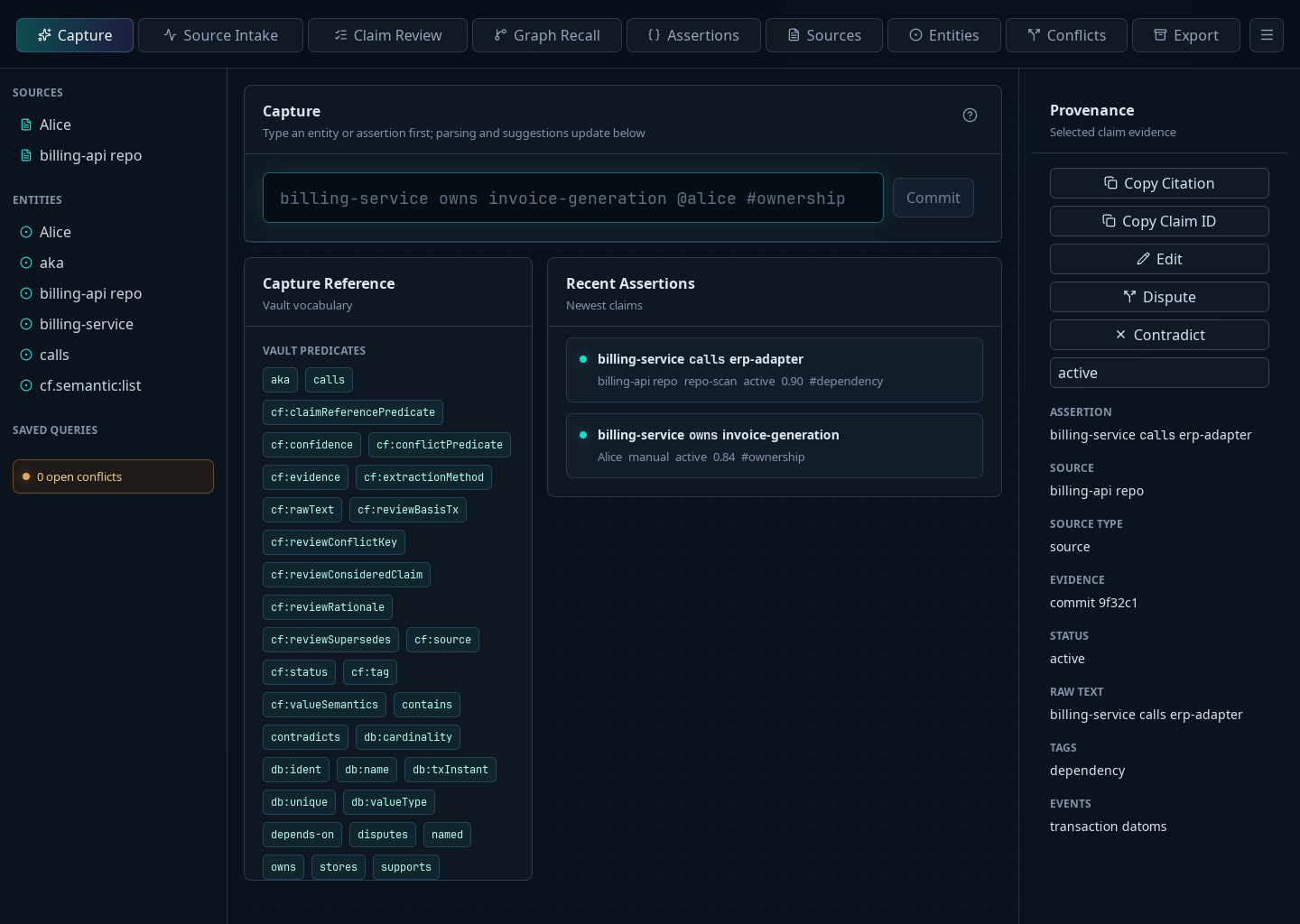
The copied citation contains the assertion, source, and evidence locator when one is available. It is a convenient handoff, not a substitute for checking the underlying source when the decision is consequential.
If provenance is missing or ambiguous, mark the assertion needs_review and capture a better-sourced replacement or supporting claim rather than inventing a locator.